Written by
Helena Dang
My mum does not like apps. She likes people. She likes phone calls that go on for too long. She does not like updates, passwords, or anything that asks “are you sure?”.
So of course I decided to design an app for her.
Why I started
I live far from my parents, like a lot of people my age. The worry is quiet but it’s always there. Did she sleep okay? Did she eat? Is that cough better?
The apps I found fell into two groups. Some track your parents like a delivery package, which feels awful. Others assume your parent is happy to learn a new app, which is cute but not real.
Talking before designing
Before drawing a single screen, I planned conversations with real families: a few adult kids and their parents. The kids get a proper interview. The parents get a short, gentle chat and one important question: “can you show me your phone?”
That question tells you everything. Which apps are on the home screen. Which ones have 47 unread notifications. How big the font is. Whether the phone is basically a very expensive radio.
One big button
Everything I learned pushed in one direction: the parent should do almost nothing.
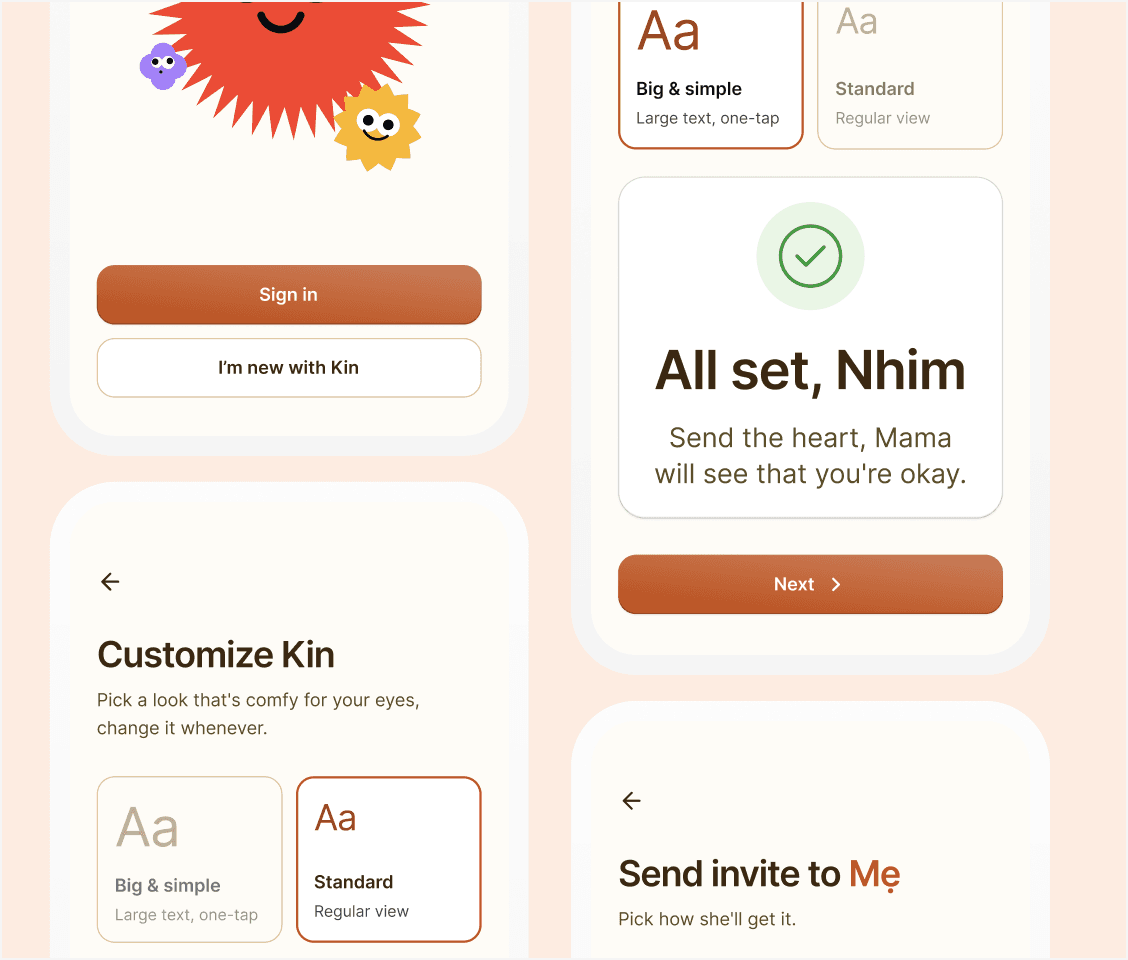
So the parent side of the app has one main action per screen. One big button to say good morning. One big button to reply with a heart. Messages arrive one at a time, huge and simple. No menus, no settings, no long press, no hidden gestures.
The morning “heartbeat” is the core of it. Mum taps once to say good morning. That’s it. For me, that tap means she’s up and okay. For her, it’s just saying hi.
The kid does the hard part
Setup is where most family apps die. So the kid does the hard part: they fill in the parent’s phone number and language when sending the invite. The parent only types a code from a text message.
And if even that is too much? The kid sets it up in person. That’s not a failure of the design. That’s the design.
Three languages, one button
The app works in English, Vietnamese and Hungarian. Hungarian words are long. Like, really long. So no button has a fixed width. Big buttons, flexible text, and a font that handles every accent.
What I’d tell other designers
Design for the least techy person in the room and everyone else gets a better product too. Ask to see people’s phones. And when you think the screen is simple enough, remove one more thing.